Text Effect - Light Box Style: A Practical Evaluation for Photoshop Users
In the realm of digital graphic design, creating visual hierarchy and drawing attention to specific messages is a fundamental challenge. Designers often seek methods that mimic real-world lighting to add depth and realism to their compositions. One such technique that has gained traction among Adobe Photoshop users is the Text Effect - Light Box Style. This approach transforms flat typography into glowing, illuminated elements that resemble light boxes found in retail environments or modern signage. The availability of this effect as a smart object replacement template offers a streamlined workflow, allowing for rapid customization without compromising on quality.
Understanding the Light Box Text Effect
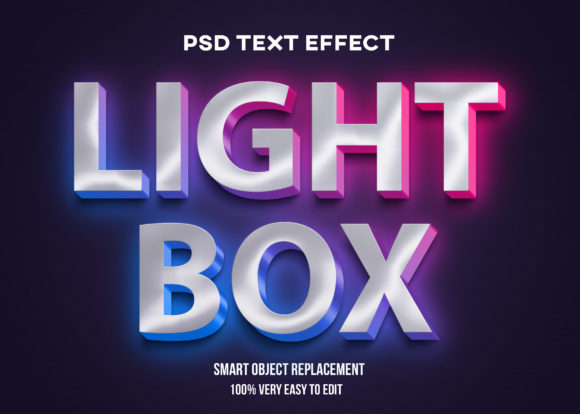
The core concept behind the Text Effect - Light Box Style involves simulating the physical properties of an illuminated sign. Unlike standard drop shadows or simple color overlays, a light box effect typically utilizes inner glows, outer glows, and layer blending modes to create the illusion that the text itself is emitting light or is backlit by a translucent material. When applied correctly, the letters appear to have a soft, diffused glow that interacts with the surrounding background, creating a sense of three-dimensionality.
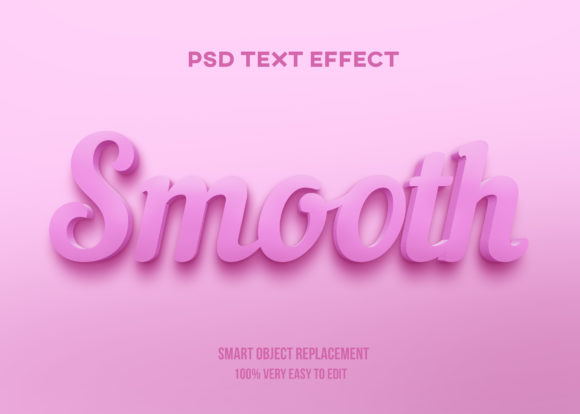
This specific implementation is designed for efficiency. It is packaged as a set of layers where the text content is contained within a smart object. This technical structure is crucial for users who need to produce multiple variations of a design quickly. Instead of manually recreating complex layer styles for every new headline, the user can simply double-click the smart object layer to access the internal file, change the text and font, save the changes, and watch the entire composition update automatically.
Why Designers Choose Smart Object Templates
The decision to utilize a template-based system rather than building effects from scratch often comes down to time management and consistency. For professionals working on advertising campaigns, social media graphics, or branding materials, maintaining a consistent look across multiple assets is vital. The Text Effect - Light Box Style template ensures that every instance of the effect maintains identical settings for size, spacing, and lighting intensity.
Furthermore, the "100 very easy change" capability mentioned in the product description highlights the scalability of this tool. Whether a designer needs to generate ten different headlines for a single banner or fifty variations for a social media carousel, the workflow remains linear and predictable. There is no need to adjust individual pixel values or re-apply layer masks for each iteration. This reduces the cognitive load on the designer, allowing them to focus on creative decisions like color theory and layout rather than technical execution.
Benefits and Tradeoffs of the Light Box Approach
Evaluating any design tool requires a balanced look at its advantages and limitations. The primary benefit of using the Text Effect - Light Box Style is speed combined with professional polish. Achieving a realistic light emission effect manually in Adobe Photoshop can be a tedious process involving multiple adjustment layers, gradient maps, and precise masking. A pre-configured smart object automates this complexity, delivering high-quality results in seconds.
Additionally, the non-destructive nature of smart objects is a significant advantage. If a client requests a change to the font weight or a slight shift in the color palette after the initial design is complete, the user can revert to the source file and make adjustments without degrading image quality or losing previous work. This flexibility supports an iterative design process where feedback is incorporated smoothly.
However, there are tradeoffs to consider. Relying heavily on templates can sometimes lead to generic-looking designs if the user does not take the time to adapt the effect to the specific context of their project. A light box style that works well against a dark background might lose its impact on a white or busy background. Therefore, while the template provides the base effect, the user must still possess the judgment to adjust opacity, blend modes, or background colors to ensure the text integrates seamlessly with the overall composition.
Another consideration is the learning curve associated with understanding how smart objects function. While changing the text is straightforward, beginners may find it challenging to understand why certain layer effects behave differently when inside a smart object compared to a standard layer. It is important to recognize that the template is a starting point, not a magic solution that requires zero creative input.
Situations Where This Effect Is a Strong Fit
The Text Effect - Light Box Style is particularly effective in scenarios requiring high visibility and a modern aesthetic. It aligns well with:
- Retail and Advertising: Creating promotional banners, sale signs, or window displays where the goal is to grab immediate attention through simulated illumination.
- Event Posters: Highlighting dates, times, or venue names in a way that suggests energy and excitement.
- Digital Interfaces: Designing buttons or call-to-action elements for websites and mobile apps that need to stand out against dark backgrounds.
- Branding Assets: Generating logos or headers for tech companies, nightlife venues, or fashion brands that wish to convey a sleek, contemporary vibe.
In these contexts, the ability to rapidly swap out text allows marketing teams to test different copy variations without waiting for a designer to rebuild the graphic from scratch. This agility is invaluable during fast-paced campaign launches.
When to Consider Alternatives
Despite its utility, this effect is not a universal solution. There are situations where a light box style may be inappropriate or where alternative techniques would yield better results.
If the design aesthetic calls for minimalism, flat design, or retro styles, a glowing text effect might feel out of place or visually cluttered. In projects where readability is the absolute priority over stylistic flair, plain, high-contrast sans-serif fonts often perform better than stylized glowing text, which can sometimes reduce legibility depending on the background contrast.
Furthermore, if the final output requires vector scalability for large-scale printing (such as billboards), relying solely on raster-based smart objects in Photoshop may require additional steps to convert the text to vectors in Illustrator to ensure crisp edges at massive sizes. In cases where the design needs to be fully interactive or animated, static Photoshop templates may need to be exported and imported into animation software, adding a layer of complexity to the workflow.
Practical Decision-Making Insights
To determine if the Text Effect - Light Box Style aligns with your current goals, consider the following factors:
- Volume of Content: Do you need to produce many variations of similar graphics? If yes, the smart object replacement feature offers significant time savings.
- Technical Proficiency: Are you comfortable navigating Adobe Photoshop's layer panel and understanding smart objects? If you are a novice, this template simplifies the process, but basic familiarity with the software is still recommended.
- Brand Consistency: Does your brand identity support a glowing, illuminated aesthetic? Ensure the effect matches your existing visual language before committing to it.
- Output Medium: Where will the design be displayed? Light box effects generally shine best on screens and dark backgrounds; they may require adjustment for print media.
Ultimately, the value of this tool lies in its balance between automation and creative control. It removes the repetitive technical hurdles of setting up layer styles, freeing the designer to focus on the message being conveyed. By understanding both the capabilities and the limitations of the Text Effect - Light Box Style, users can make informed decisions about whether it fits their specific project requirements. Whether used for a quick social media post or a comprehensive marketing campaign, the ability to double-click, edit, and instantly see results makes it a practical asset for modern graphic design workflows.